Looker Studio connectors
& integrations

With Windsor.ai’s Looker Studio connectors, you can automatically transfer data from 325+ sources into Google’s data visualization tool with no code. Set up near-real-time reporting and start analyzing your data within minutes.


By integrating data from one or multiple business channels into Looker Studio, teams work from a single source of truth, eliminate manual data prep and transfer, and make faster, more informed decisions that drive revenue growth.

Starts at just $19/month with unlimited Looker Studio integrations.

30-day free trial No credit card needed
Join over 7,000+ businesses that trust Windsor.ai to streamline Data Studio data integration
audi logo
colgate
asics
roche
novo nordisk logo
UBS
unicef
verisure
wpp
club med
skoda
heineken
puma
audi logo
colgate
asics
roche
novo nordisk logo
UBS
unicef
verisure
wpp
club med
skoda
heineken
puma

Our popular Looker Studio connectors

Automatically send your data from these sources to Looker Studio using Windsor.ai.

Adobe Analytics (v1.4)

Adobe Analytics (v2.0)

Amazon Vendor Central

Apple Search Ads

Azure Table Storage

Blended Data Connector

Brevo (Sendinblue)

Commission Factory (Awin)

Facebook Lead Ads (Meta)

Google Ad Manager

Google Campaign Manager 360 (CM360)

Google Display & Video 360 (DV360)

Google Merchant Center

Google PageSpeed Insights

Google Search Ads 360 (SA360)

Instagram Public Data

Microsoft Dataverse

Microsoft Dynamics 365

MNTN (mountain.com)

Paypal Transaction

Pinterest Organic

Plausible Analytics

Rakuten Advertising

Salesforce Marketing Cloud

The New York Times

Twilio TaskRouter

Twitter Organic (Legacy)

Walmart Marketplace

Wikipedia Pageviews

Yahoo! Finance Price

YouGov BrandIndex

How to set up Looker Studio data integration with Windsor.ai

Explore our video tutorial and a step-by-step guide to integrate your data from any source into Looker Studio with the Windsor.ai ELT connectors.

Visit our privacy policy and terms of use for more information on the connector use, and feel free to contact our support in case of any issues.

1

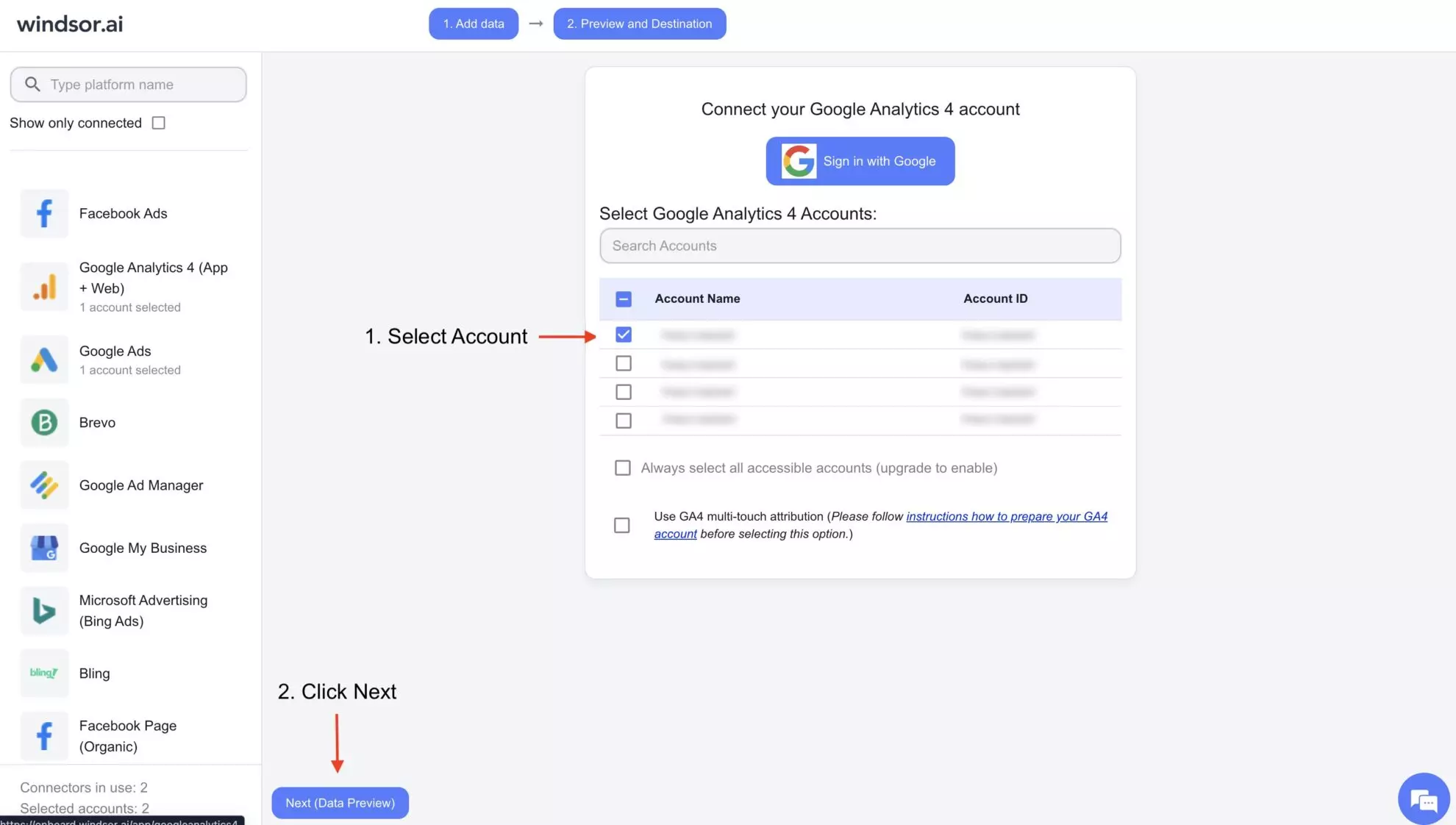
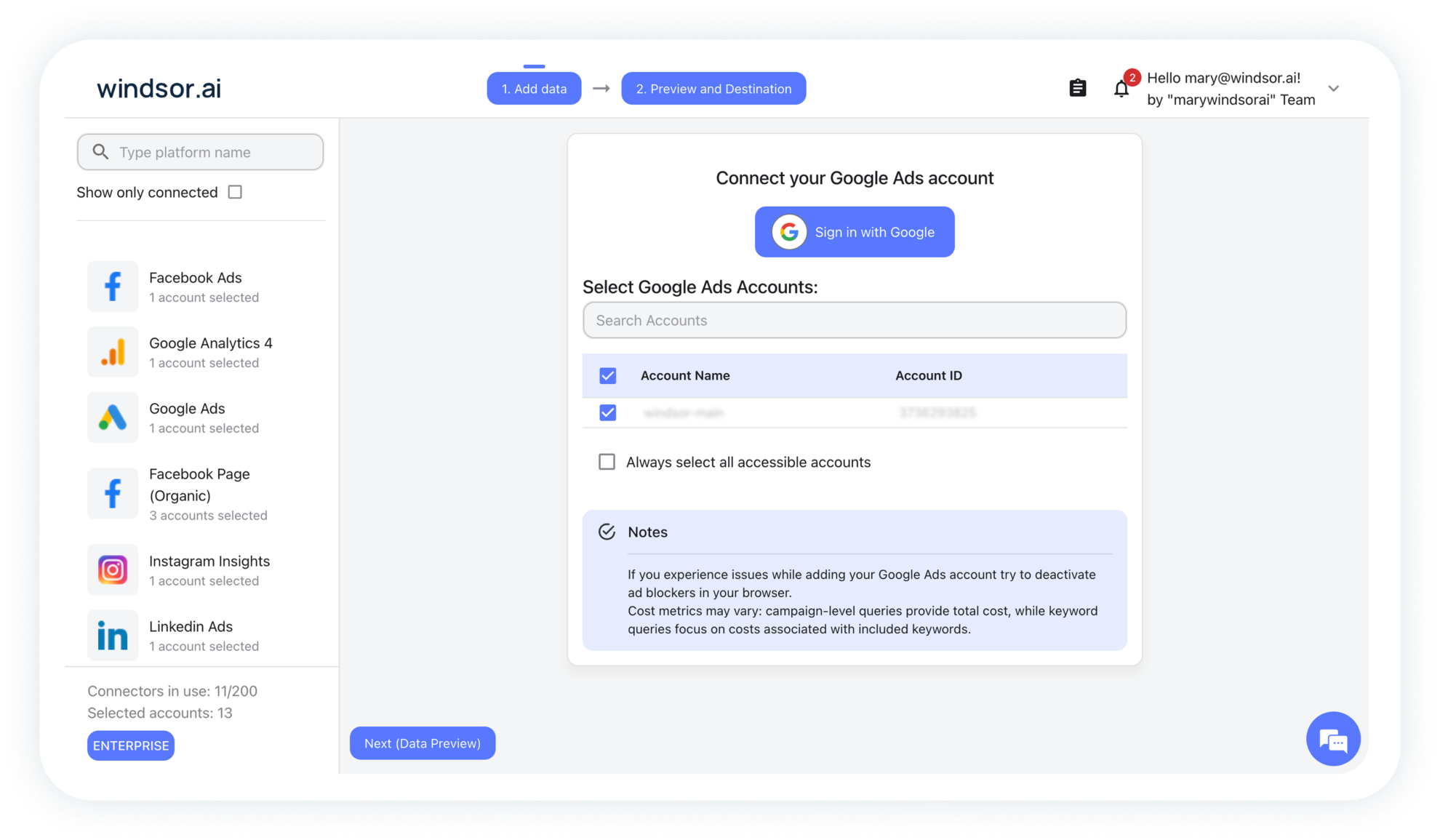
Connect a data source in your Windsor.ai dashboard

Connect your preferred data sources to Windsor.ai. Select the necessary account(s) you want to pull data from and click “Next.”

selecting data source in windsor.ai
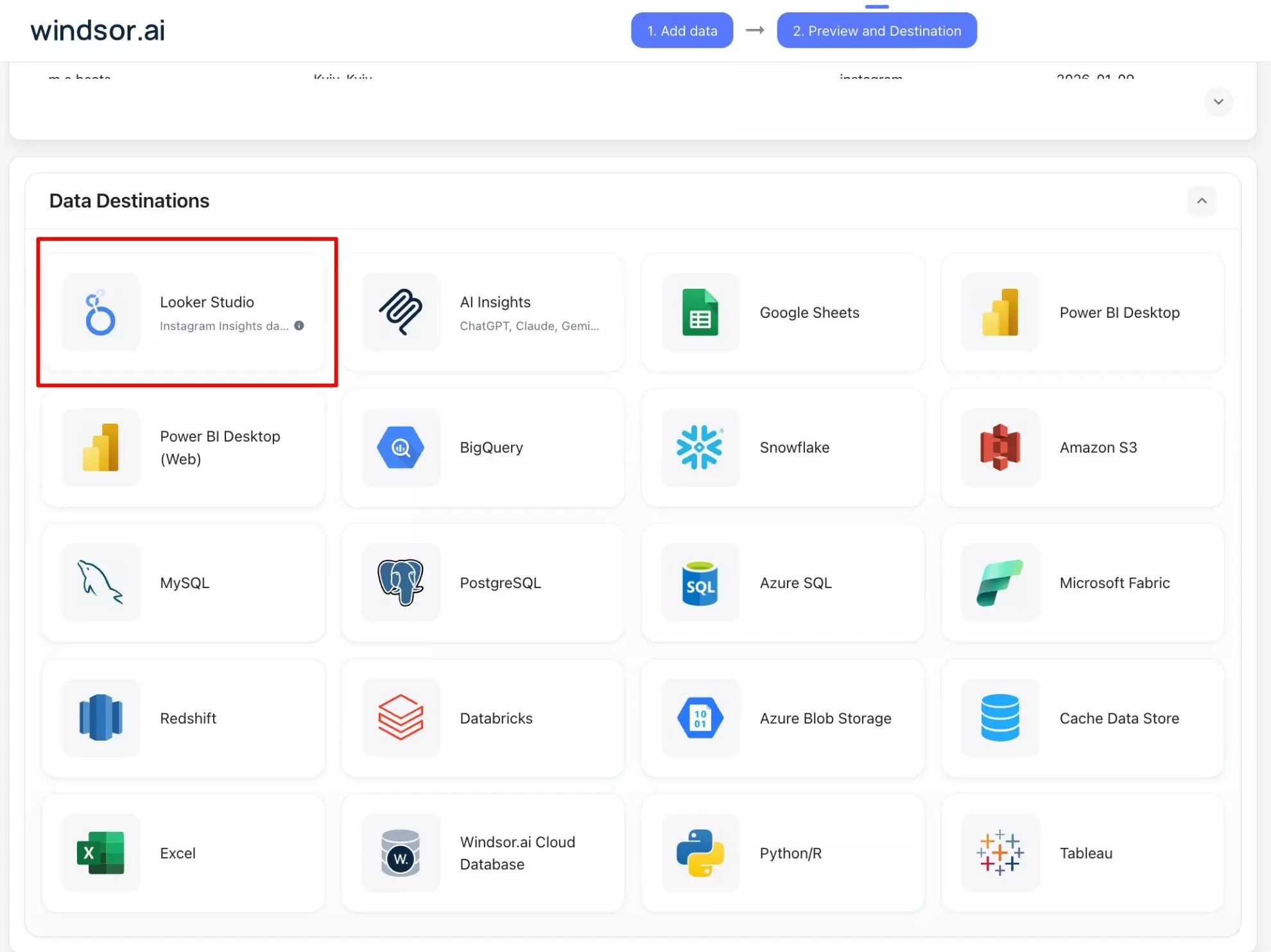
looker studio destination windsor
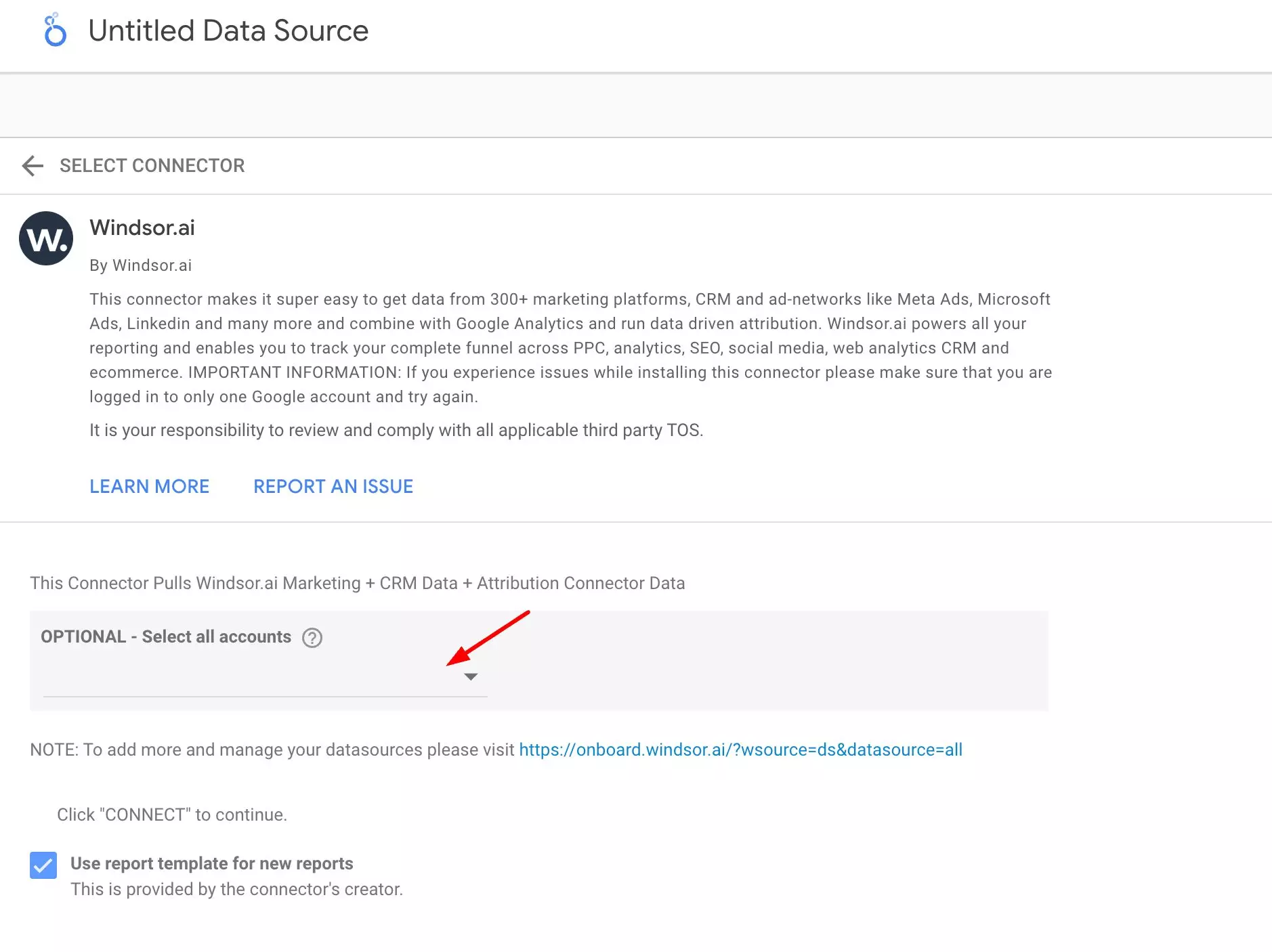
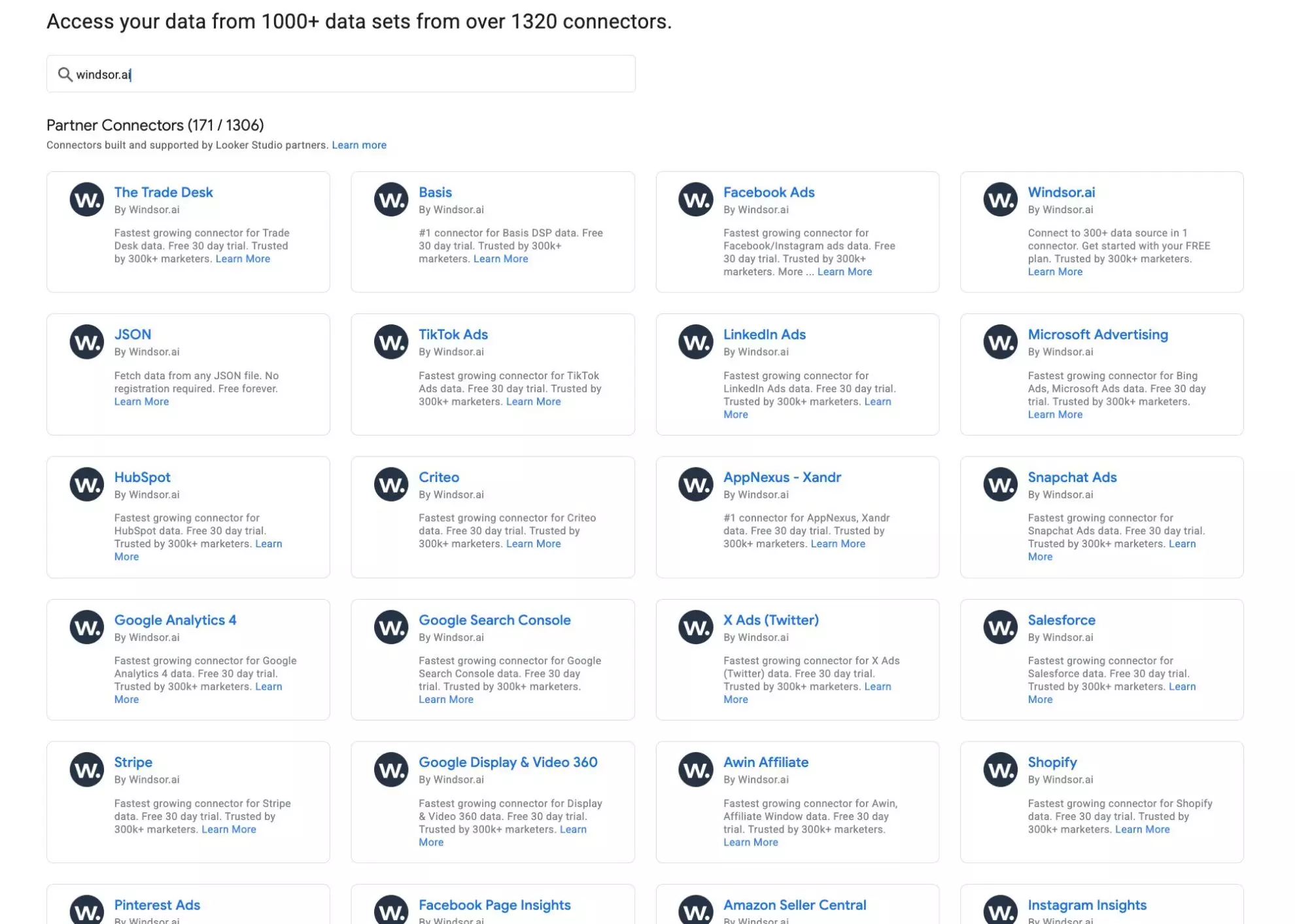
looker studio connector windsor
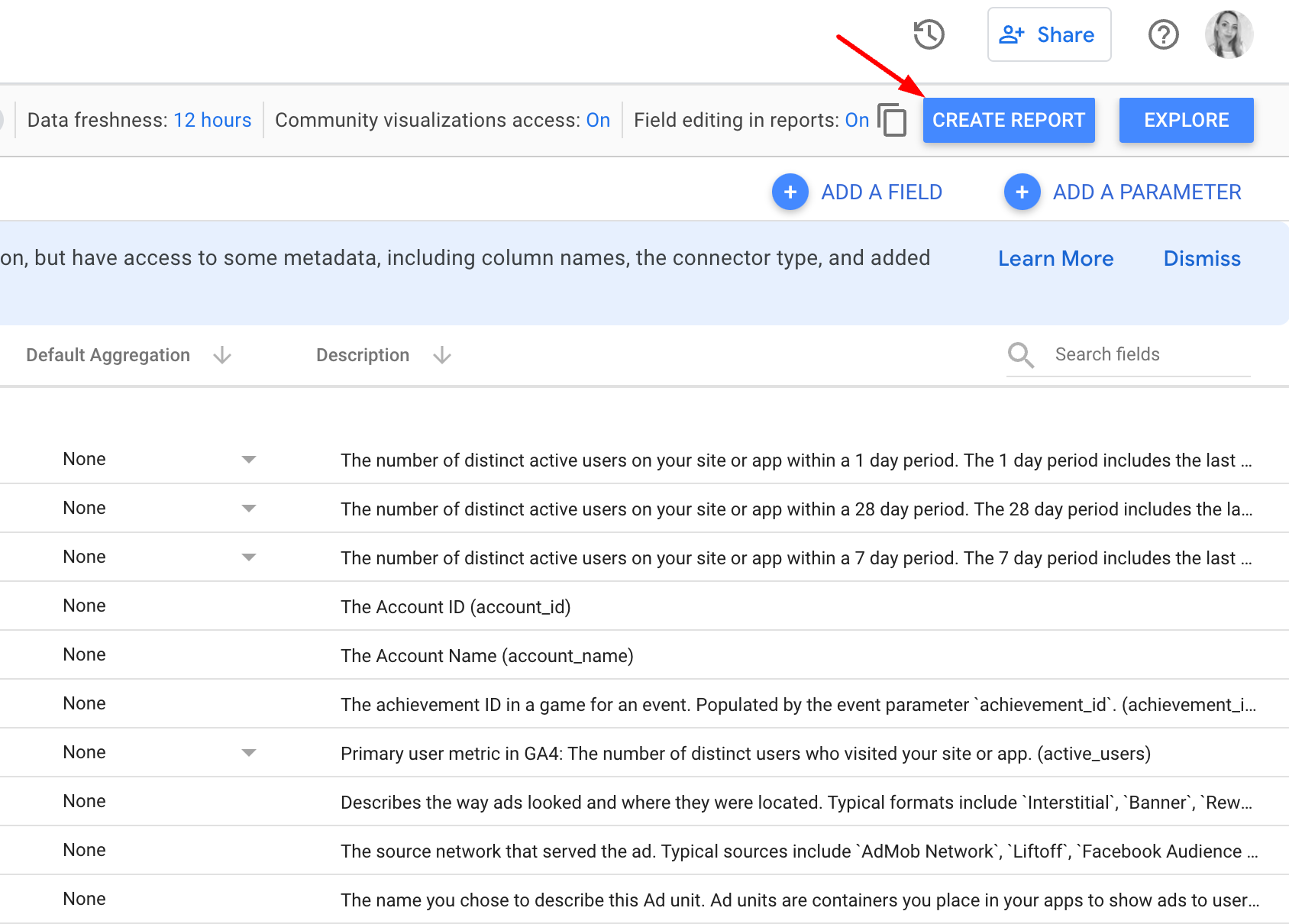
create report in looker studio

Streamline your Looker Studio data analytics with the Windsor.ai connectors

Unlock the full power of Looker Studio. Windsor.ai lets you seamlessly connect hundreds of data sources and automate reporting in just a few clicks, saving time while accelerating deep insights. Here’s what you gain by integrating Looker Studio with Windsor.ai:

  • Native Looker Studio connectors
  • Ready-made templates
  • Data blending
  • Fully automated process

Windsor.ai is a powerful data integration platform that helps you centralize and automate reporting across 325+ data sources. Instead of exporting CSVs or writing custom scripts, Windsor directly connects your platforms with Looker Studio via native Looker connectors, enabling instant performance tracking without manual effort.

windsor.ai looker studio connectors

Windsor.ai offers an extensive library of pre-built templates to enhance your Looker Studio integration and visualization. Simply choose the relevant template and customize it to meet your needs, streamlining the reporting process and supporting better decision-making. Plus, our dashboards automatically update with the latest data, ensuring you make decisions based on accurate, real-time information.

facebook page insights data studio dashboard

With Windsor.ai, you can effortlessly connect Looker Studio to a wide range of data sources, including Google AdsGoogle Search ConsoleYouTube Analytics, and hundreds of other channels. This extensive integration allows you to consolidate all your business data in one place, creating a unified source of truth for informed decision-making.

connect data source to windsor

Manually syncing data and creating reports from multiple sources can be exhausting and time-consuming. With Windsor.ai’s ELT connectors, integrating data into Looker Studio is faster and easier than ever. By automating routine tasks like data collection, formatting, and transfer, Windsor.ai frees up your team to focus on strategic initiatives that drive business growth.

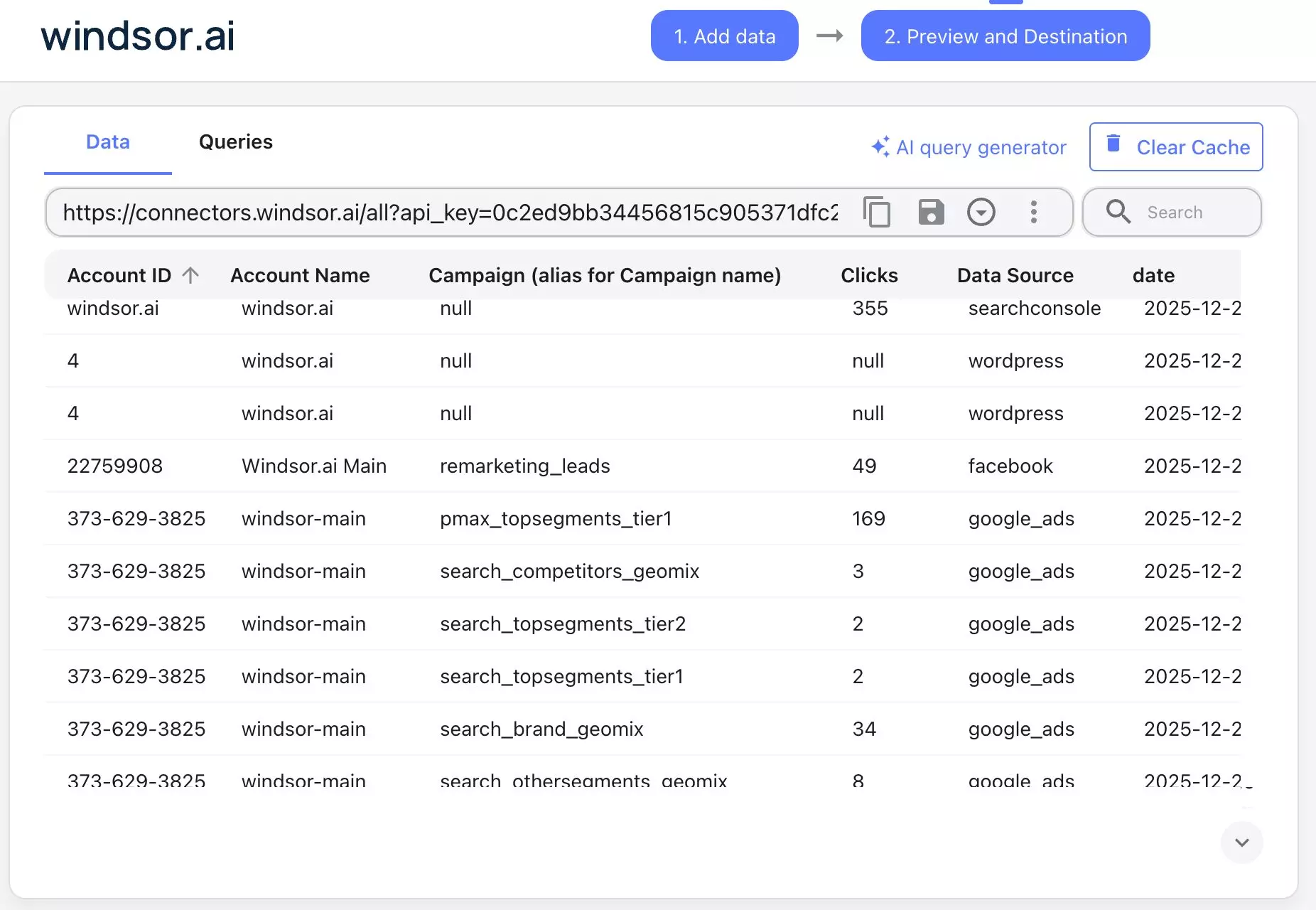
preview data windsor
Native Looker Studio connectors

Windsor.ai is a powerful data integration platform that helps you centralize and automate reporting across 325+ data sources. Instead of exporting CSVs or writing custom scripts, Windsor directly connects your platforms with Looker Studio via native Looker connectors, enabling instant performance tracking without manual effort.

Ready-made templates

Windsor.ai offers an extensive library of pre-built templates to enhance your Looker Studio integration and visualization. Simply choose the relevant template and customize it to meet your needs, streamlining the reporting process and supporting better decision-making. Plus, our dashboards automatically update with the latest data, ensuring you make decisions based on accurate, real-time information.

Data blending

With Windsor.ai, you can effortlessly connect Looker Studio to a wide range of data sources, including Google AdsGoogle Search ConsoleYouTube Analytics, and hundreds of other channels. This extensive integration allows you to consolidate all your business data in one place, creating a unified source of truth for informed decision-making.

Fully automated process

Manually syncing data and creating reports from multiple sources can be exhausting and time-consuming. With Windsor.ai’s ELT connectors, integrating data into Looker Studio is faster and easier than ever. By automating routine tasks like data collection, formatting, and transfer, Windsor.ai frees up your team to focus on strategic initiatives that drive business growth.

FAQs

What is Looker Studio?

Looker Studio (formerly Google Data Studio) is a robust data visualization tool with advanced business intelligence capabilities. It transforms complex data sets into clear, actionable reports and dashboards.

With a variety of data representation formats such as tables, charts, maps, and more, Looker Studio offers extensive customization options, including colors, text, and branding elements, allowing you to tailor reports to your needs.

Tired of manual data exports? Get started with Windsor.ai today to automate your Looker Studio reporting

Access all your data from various sources in one place. Get started for free with a 30-day trial.
g logo
fb logo
big query data
youtube logo
power logo
looker logo